VPS Hosting for WordPress

VPS Hosting for WordPress: Faster, Secure & Scalable Guide

WordPress powers a large portion of the internet today, from small personal blogs to large eCommerce platforms and enterprise websites. Its flexibility, ease of use, and massive ecosystem of plugins and themes make it the preferred content management system (CMS) for millions of users worldwide. However, as websites grow in size and traffic, hosting requirements also increase.

Many website owners start their WordPress journey with shared hosting because it is affordable and easy to set up. While shared hosting works well for beginners, it often struggles to keep up with growing traffic, advanced website features, and increasing performance demands.

This is where VPS hosting for WordPress becomes an ideal solution. Virtual Private Server (VPS) hosting provides a powerful, flexible, and secure environment that allows WordPress websites to perform at their best. It offers dedicated resources, better customization, improved security, and scalability that shared hosting cannot match.

In this detailed guide, we will explore everything you need to know about, including how it works, its benefits, how it compares to other hosting solutions, and how it can help your website grow.

What is VPS Hosting?

VPS stands for Virtual Private Server. It is a type of hosting where a physical server is divided into multiple virtual servers using virtualization technology. Each virtual server functions as an independent hosting environment with its own dedicated resources.

These resources typically include:

  • CPU processing power
  • RAM (memory)
  • Storage space
  • Operating system
  • Network bandwidth

Even though multiple VPS instances exist on the same physical server, each one operates independently. This means that the performance of one VPS does not affect the others.

Compared to shared hosting, where hundreds of websites compete for the same resources, VPS hosting provides more stability, control, and performance. It gives website owners a dedicated portion of server resources, which significantly improves website reliability and speed.

VPS hosting is often considered the middle ground between shared hosting and dedicated servers. It offers many of the benefits of a dedicated server but at a much lower cost.

Why WordPress Websites Need Better Hosting

WordPress is a powerful platform, but it can also be resource-intensive. As you add more plugins, themes, images, and dynamic content to your website, the demand for server resources increases.

Shared hosting environments often struggle to handle these demands, especially when website traffic grows. This can lead to several problems, such as slow loading speeds, downtime, and poor user experience.

Some common limitations of shared hosting include:

  • Limited CPU and RAM resources
  • Performance is affected by other websites on the server
  • Restricted server customization
  • Higher security risks
  • Difficulty handling traffic spikes

When a WordPress website begins to attract more visitors or requires advanced functionality, upgrading to VPS hosting becomes necessary. VPS hosting with cPanel provides a more powerful and reliable infrastructure that allows WordPress websites to run smoothly and efficiently.

How VPS Hosting Works for WordPress

VPS hosting works by using virtualization technology to divide a single physical server into multiple virtual servers. Each virtual private server is allocated its own dedicated resources such as CPU, RAM, storage, and bandwidth. This setup ensures that every VPS operates independently and maintains consistent performance regardless of activity on other virtual servers.

When you host a WordPress website on a VPS, your site runs in its own isolated environment. This isolation is one of the biggest advantages of VPS hosting because it prevents other websites on the same physical server from affecting your site’s performance. Even if another VPS experiences high traffic or heavy resource usage, your WordPress website will continue to run smoothly with its allocated resources.

Benefits of VPS Hosting for WordPress

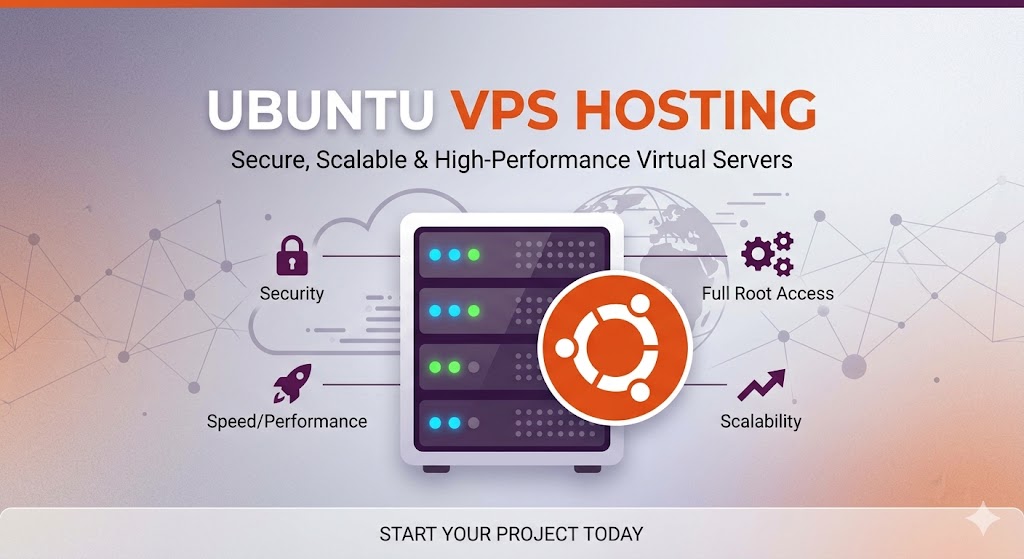
Faster Website Performance

Website speed is one of the most important factors affecting both user experience and search engine rankings. When a website loads slowly, visitors often become frustrated and leave the site quickly, which increases bounce rates and reduces engagement. This can negatively impact your website’s credibility and visibility in search engine results.

VPS hosting helps improve website performance by providing dedicated resources and an optimized server environment. With access to greater CPU power and RAM, WordPress websites can process user requests more efficiently and handle higher levels of traffic without slowing down. This ensures a smoother browsing experience for visitors, even during peak traffic periods.
Enhanced Security

Security is a major concern for WordPress website owners because the platform is frequently targeted by hackers and malware.

VPS hosting provides a more secure environment compared to shared hosting because each VPS operates independently. This means that vulnerabilities from other websites on the same physical server cannot easily spread to your website.

Additional security features often included with VPS hosting are:

  • Advanced firewall protection
  • DDoS attack mitigation
  • Malware detection and removal
  • Secure server configurations
  • Regular system updates

These security measures help protect sensitive data, prevent unauthorized access, and maintain the integrity of your website.

Greater Control and Flexibility

One of the biggest advantages of VPS hosting is the level of control it offers. Unlike shared hosting, VPS hosting often provides root access, allowing you to configure your server environment exactly as needed.

This flexibility allows users to:

  • Install custom software
  • Configure server security settings
  • Optimize database performance
  • Choose preferred operating systems
  • Install specialized caching tools

Developers and businesses with unique requirements benefit greatly from this level of control.

Scalability for Growing Websites

As your WordPress website grows, your hosting needs will also increase. VPS hosting allows you to scale resources easily without migrating to a new server.

You can upgrade resources such as:

  • RAM
  • CPU cores
  • Storage capacity
  • Bandwidth

This scalability ensures that your website can handle increasing traffic and larger data volumes without performance issues.

Scalable hosting infrastructure is especially important for businesses that expect rapid growth.

High Reliability and Uptime

Website downtime can have serious consequences for any online business or website. When a website becomes unavailable, it can lead to lost revenue, a poor user experience, and even lower rankings in search engine results. Visitors expect websites to be accessible at all times, and frequent downtime can damage trust and reduce customer satisfaction.

VPS hosting helps minimize these risks by offering high reliability and strong uptime guarantees. Most VPS hosting providers promise uptime levels of around 99.9% or higher, ensuring that websites remain accessible to users for the majority of the time. This level of reliability is made possible through advanced server monitoring systems, redundant infrastructure, and proactive maintenance that helps prevent technical issues before they occur.

Managed vs Unmanaged VPS for WordPress

When choosing VPS hosting, you will typically have two options: managed or unmanaged VPS hosting.

Managed VPS Hosting

In managed VPS hosting, the hosting provider handles most server management tasks.

These tasks include:

  • Server setup and configuration
  • Security updates and patches
  • Performance optimization
  • Server monitoring
  • Technical troubleshooting

Managed hosting is ideal for business owners and website administrators who want powerful hosting without dealing with complex technical tasks.

Unmanaged VPS Hosting

Unmanaged VPS hosting gives users full control of the server but requires them to manage all technical aspects.

Responsibilities include:

  • Installing operating systems
  • Managing server security
  • Configuring web servers
  • Monitoring performance

This option is best suited for experienced developers and system administrators.

Key Features to Look for in WordPress VPS Hosting

High-Performance Hardware

Choose a hosting provider that uses modern server hardware, such as:

These components significantly improve website performance.

WordPress Optimization

Some VPS providers offer WordPress-specific optimizations, such as:

  • Pre-installed WordPress
  • Automatic updates
  • Server-side caching
  • Optimized database configurations

These features simplify website management and enhance performance.

Backup and Data Protection

Reliable backup systems are essential for protecting your website from data loss.

A good VPS hosting provider should offer automated backups so you can restore your website quickly in case of an emergency.

24/7 Technical Support

Technical support is crucial when dealing with hosting infrastructure. A reliable hosting provider should offer round-the-clock support to help resolve issues quickly.

VPS Hosting vs Shared Hosting for WordPress

Shared hosting is often the most affordable hosting option and is commonly chosen by beginners who are launching small websites or blogs. In a shared hosting environment, multiple websites are hosted on the same server and share the same resources such as CPU, RAM, and storage. Because these resources are shared among many users, the performance of a website can become inconsistent, especially when other websites on the server experience high traffic or heavy resource usage. This limitation can lead to slower loading speeds and reduced reliability as a website grows.

In contrast, VPS hosting offers a more powerful and stable hosting environment by providing dedicated resources to each virtual server. With its own allocated CPU, RAM, and storage, a VPS ensures that your WordPress website performs consistently without being affected by other websites on the same physical server. VPS hosting also provides improved security and greater control over server configurations, allowing users to customize their hosting environment according to their needs.

SEO Benefits of VPS Hosting for WordPress

Website performance is a critical factor for search engine rankings, and VPS hosting can play a significant role in improving SEO for WordPress websites. Faster loading speeds enhance user experience by reducing wait times and keeping visitors engaged, which in turn lowers bounce rates. High uptime ensures that search engines can reliably crawl and index your website, preventing missed opportunities for ranking improvements. Additionally, VPS hosting provides better server performance, which positively impacts Core Web Vitals key metrics that Google uses to evaluate page experience. By hosting your WordPress website on a VPS server, you establish a strong technical foundation that supports long-term SEO success and helps your site maintain visibility in search results.

Final Thoughts

It is an ideal solution for website owners who require more power, reliability, and flexibility than shared hosting can offer. By providing dedicated resources, enhanced security, improved performance, and scalability, VPS hosting supports long-term growth and ensures your website can handle increasing traffic and resource demands. Whether you manage a business website, an e-commerce store, a blog, or a SaaS platform, upgrading to VPS hosting can greatly enhance your website’s speed, stability, and overall user experience. By selecting the right VPS hosting provider and properly optimizing your WordPress setup, you can build a fast, secure, and scalable website that meets the expectations of today’s online audiences.

FAQs

1. What is VPS Hosting for WordPress?

It is a type of cheap web hosting where your website runs on a virtual private server with dedicated resources, providing better performance, security, and control compared to shared hosting.

2. How is VPS Hosting different from Shared Hosting?

In shared hosting, multiple websites share the same server resources, which can slow down performance. VPS hosting provides dedicated CPU, RAM, and storage, ensuring consistent speed and stability for WordPress websites.

3. What are the benefits of using VPS Hosting?

VPS hosting offers faster website performance, improved security, full control over server settings, scalability, and higher reliability compared to shared hosting.

4. Is VPS Hosting suitable for beginners?

Yes, especially if you choose managed VPS hosting, where the provider handles server management tasks such as security updates, backups, and performance optimization, allowing beginners to focus on their website.

5. What is the difference between Managed and Unmanaged VPS Hosting?

Managed VPS hosting includes server management, monitoring, updates, and support, while unmanaged VPS hosting gives full control to the user, who must handle all server administration tasks.

6. Can I host multiple WordPress websites on a VPS?

Yes, VPS hosting allows you to host multiple WordPress websites based on your server resources, such as CPU, RAM, and storage, making it ideal for agencies or developers.

7. How does VPS Hosting improve website speed?

VPS hosting provides dedicated resources and optimized server environments, including SSD or NVMe storage and caching systems, which help WordPress websites load faster and handle higher traffic.

8. Is VPS Hosting secure for WordPress websites?

Yes, VPS hosting provides enhanced security through server isolation, firewalls, malware scanning, DDoS protection, and regular updates, reducing the risk of hacks and data breaches.

9. Can I scale my VPS resources as my website grows?

Absolutely. VPS hosting allows you to easily increase CPU, RAM, storage, and bandwidth, ensuring your WordPress website can handle growing traffic without downtime or performance issues.

10. How does VPS Hosting affect SEO?

VPS hosting improves SEO by providing faster loading speeds, higher uptime, and better server performance, which enhance user experience and positively impact Core Web Vitals, a key factor in search engine rankings.

Suggestions:

  1. https://mainvps.net/blog/linux-reseller-hosting/
  2. https://mainvps.net/blog/lifetime-web-hosting-2026/
  3. https://mainvps.net/blog/windows-reseller-web-hosting/
  4. https://mainvps.net/blog/best-wordpress-hosting-providers/
  5. https://mainvps.net/blog/linux-vps-hosting-india/
  6. https://mainvps.net/blog/low-cost-windows-vps-hosting-in-india/
  7. https://mainvps.net/blog/cheap-dedicated-server-hosting-providers/
  8. https://mainvps.net/blog/windows-server-guide-dde-dns-tls-1-2-uptime/
  9. https://mainvps.net/blog/dedicated-server-hosting-netherlands/
  10. https://mainvps.net/blog/dedicated-server-low-price/
  11. https://mainvps.net/blog/vps-hosting-in-los-angeles-us/
  12. https://mainvps.net/blog/dedicated-server-in-nedzone-nl/

Leave a Reply

Your email address will not be published. Required fields are marked *

Related Post